How to remove a Google review: what works, what doesn't
You can't delete a review from your own Business Profile. You can report one, and Google removes it if it breaks the rules. That covers fake reviews, competitor attacks and extortion attempts, but not fair criticism you disagree with. Here's how to tell the difference and get the bad ones taken down.

By Nouman Sabir, AI search & SEO specialist
Updated · 5 min read

The short answer
- Business owners can't delete Google reviews. Report a review, and Google removes it only if it violates its policies.
- Reviews that qualify include fake or spam reviews, conflicts of interest such as competitors or ex-employees, off-topic rants, harassment and personal information.
- Report from Maps or your profile, then track the decision in Google's Reviews Management Tool. If it's rejected, you get one appeal.
- If someone threatens bad reviews unless you pay, Google has a separate report for review extortion scams. Don't pay.
Which reviews Google will remove
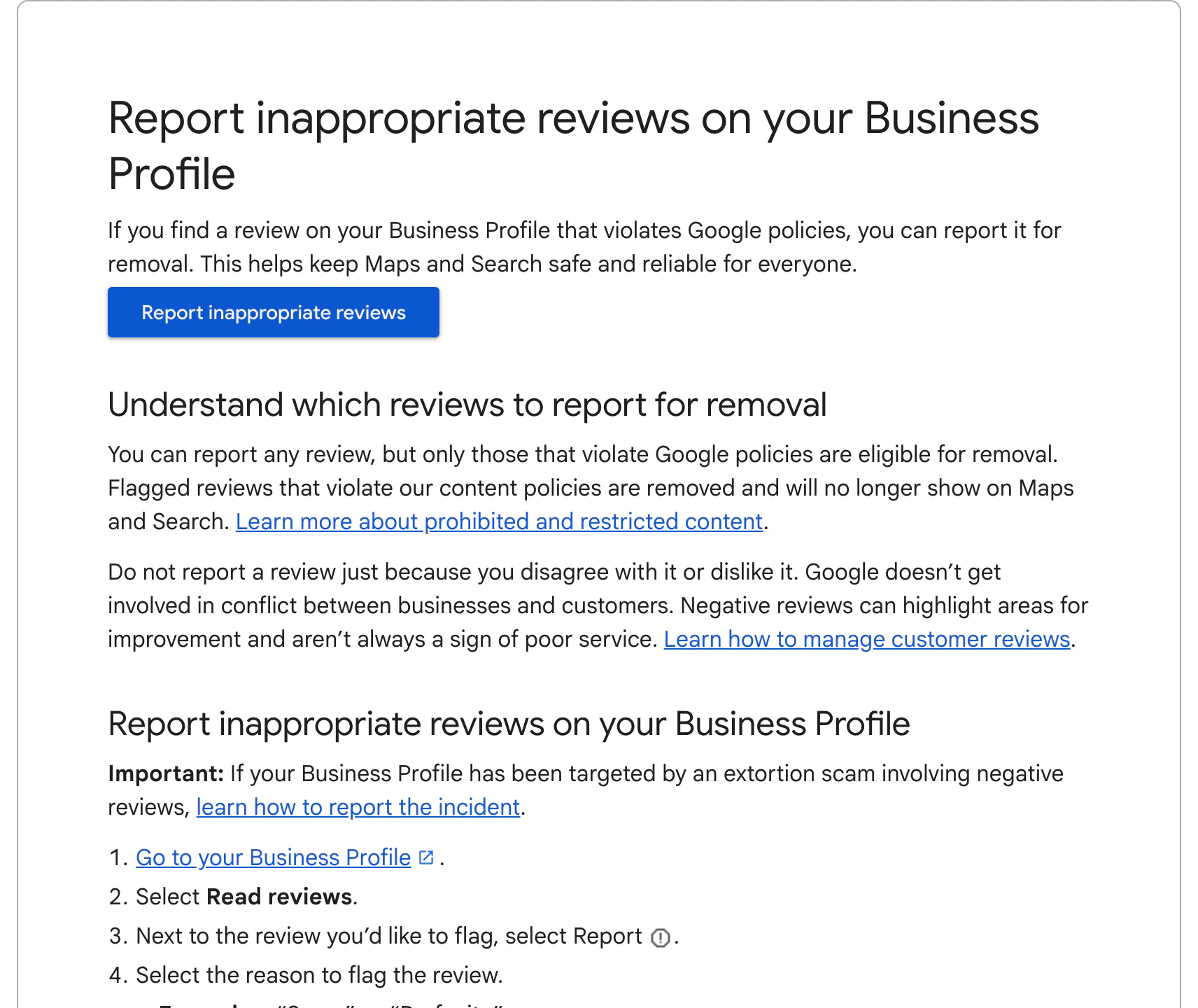
Google's help page is clear: you can report any review, but only those that violate Google's policies are eligible for removal. It also says not to report a review just because you disagree with it.
| Review | Likely removed? | Why |
|---|---|---|
| Written by someone who was never a customer, part of a burst of fake reviews | Yes | Fake engagement |
| Posted by a competitor, ex-employee or someone with a conflict of interest | Yes | Conflict of interest |
| Political rant, or meant for a different business | Yes | Off-topic |
| Contains threats, hate speech, slurs or someone's phone number | Yes | Harassment, hate speech or personal information |
| Offers or demands money to change a review | Yes | Extortion has its own report process |
| A real customer's harsh but honest complaint | No | Negative but legitimate |
| One star with no text | Usually no | A rating alone rarely breaks a policy |
| Inaccurate in your view, but describes a real visit | No | Google doesn't settle disputes between businesses and customers |
How to report a review
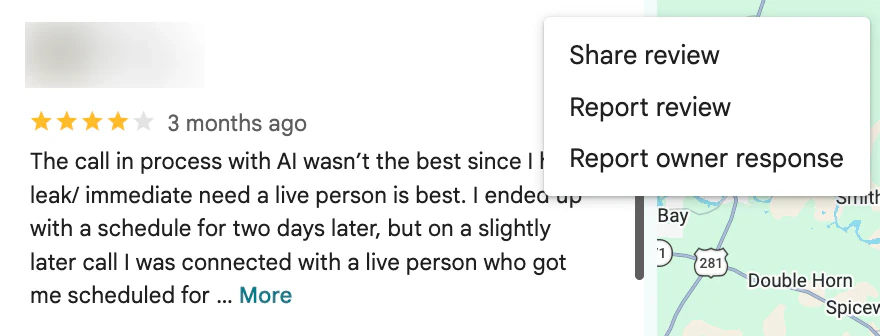
- 1Find the review on Google Maps or in your Business Profile while signed in to the account that manages it.
- 2Select the three-dot menu next to the review and choose Report review.
- 3Pick the reason that matches the policy it breaks, such as conflict of interest or off-topic.
- 4Track the outcome in Google's Reviews Management Tool.
In the Reviews Management Tool, a report shows as decision pending, removed, or reviewed with no policy violation. Google says evaluation typically takes several days, and in October 2026 its help center carried a notice that review appeals were taking longer than usual.
If Google says no: appeals
If Google finds no violation, you can submit one appeal from the Reviews Management Tool. Add context Google may have missed: for example, that the reviewer's name matches a former employee, that there's no record of them as a customer, or that several reviews arrived from new accounts on the same day. Don't file multiple appeals for the same review; Google says it slows things down.
For reviews you believe are defamatory, Google has a separate legal removal request. That route is for legal claims, not ordinary bad reviews, and it's worth talking to a lawyer first.
Fake review attacks and extortion
Some businesses get a wave of one-star reviews followed by a message offering to remove them for a payment. Google has a dedicated help page for reporting negative review extortion scams. Report the reviews and the message, keep screenshots, and don't pay. Paying guarantees nothing and marks you as a target.
How to spot a fake review
Google decides on policy, so your report is stronger when you can point to specific signs. Look for:
- A reviewer name that matches no customer, job or invoice in your records
- Several reviews from new accounts in a short burst, often on the same day
- Details that don't fit your business: services you don't offer, a location you don't serve
- The same wording appearing on your profile and a competitor's
- A reviewer whose other reviews praise a direct competitor
Note these in your report and in any appeal. Google's systems already catch many fake reviews automatically, so the ones that remain usually need specific context.
What to do while you wait
- Reply publicly in a calm, short way. Readers see your reply long before Google decides. My guide on responding to Google reviews has examples, including for reviews from people who weren't customers.
- Bury it with real reviews. One unfair review matters far less next to 50 recent genuine ones. Ask every customer, every time.
- Keep records. Note dates, screenshots and any customer records that show the reviewer wasn't a client.
Frequently asked questions
Can a business owner delete a Google review?
No. Only the person who wrote it can delete it. You can report it, and Google removes it if it violates its policies.
How long does Google take to remove a reported review?
Google says evaluation typically takes several days, and appeals can take longer. In October 2026 Google noted extended processing times for review appeals.
Can I pay someone to remove Google reviews?
Be careful. Anyone promising guaranteed removal of legitimate reviews can't deliver it through Google's process, and some "removal" services are scams. Legitimate help means reporting reviews that genuinely break policy.
Can I ask a customer to remove a negative review?
You can fix the problem and ask if they'd consider updating it. Offering money or a refund in exchange for removing a review risks breaking Google's policies and the FTC's rule on review suppression.
Why did Google remove a good review from my profile?
Google's automated systems filter reviews they consider suspicious, such as several from the same location or new accounts. Spreading review requests over time helps.
Sources
- Report inappropriate reviews on your Business Profile, Google Business Profile Help
- Prohibited & restricted content, Maps User Generated Content Policy Help
- Business Profile restrictions for policy violations, Google Business Profile Help
- The Consumer Reviews and Testimonials Rule: Questions and Answers, Federal Trade Commission
Written by Nouman Sabir
Nouman Sabir is an AI search and local SEO specialist with 5+ years of hands-on work across 100+ websites, from contractors and law firms to SaaS and Shopify stores. He is Top Rated on Upwork with a 100% Job Success Score and 44 client reviews. Everything here comes from client work he has done or data he pulled himself.