How to choose Google Business Profile categories that help you rank
Your primary category is one of the strongest local ranking settings you control, and Google says so directly: the categories you select affect your local ranking. Here is how to choose them, how to check what your competitors use and the mistakes that cost businesses calls.

By Nouman Sabir, AI search & SEO specialist
Updated · 4 min read

The short answer
- Every profile has one primary category and up to 9 additional categories. The primary one matters most.
- Choose the most specific category that describes what your business is, not everything it offers: "Nail salon" rather than "Salon", "Personal injury attorney" rather than "Lawyer".
- Check the primary category of the businesses ranking at the top for your main search before you decide.
- Add additional categories only for real departments or services. Using categories as keywords breaks Google's guidelines.
Why categories matter so much
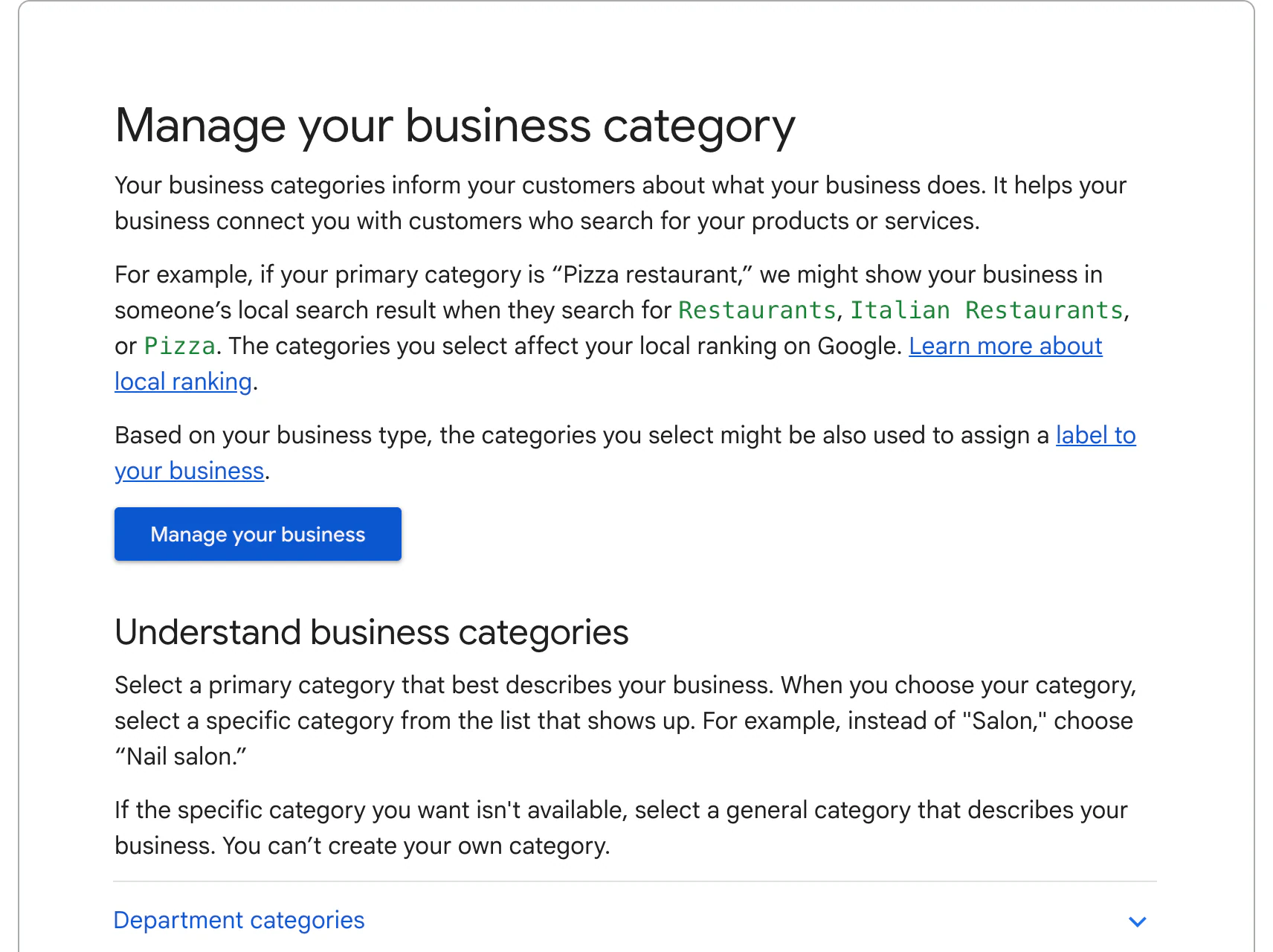
Google's help page on categories says they tell customers what your business does, help it connect you with people searching for your services, and affect your local ranking. Its example: a business with the primary category "Pizza restaurant" may show for searches like restaurants, Italian restaurants or pizza.
Customers see the primary category right under your business name on Maps, so it also shapes the first impression.
How to choose your primary category
- 1Write down the one service that brings most of your revenue or most of the calls you want more of.
- 2Search for that service plus your city on Google Maps and note the primary category under the top three businesses.
- 3In your profile, choose Edit profile, then Business category, and start typing. Pick the most specific match from Google's list. You can't create your own.
- 4If no specific category fits, choose the most accurate general one.
| Business | Weaker choice | Stronger choice |
|---|---|---|
| Criminal defense firm | Lawyer | Criminal justice attorney |
| Roofing company | Contractor | Roofing contractor |
| AC and furnace company | Contractor | HVAC contractor |
| Water damage company | Contractor | Water damage restoration service |
| Nail salon (Google's own example) | Salon | Nail salon |
Additional categories: when to add them
Google allows up to 9 additional categories, but its own advice is to use as few as possible to describe your core business. Add one when it describes a real part of the business, such as a pharmacy inside a grocery store, or water heater installation for a plumber who does a lot of it.
- Add categories for real departments or services you actively sell
- Skip categories that are redundant with a more specific one you already chose
- Don't add categories for one-off jobs or to target keywords
- Use the services list, your description and your website to cover everything else you offer
Businesses that do more than one thing
Many local businesses straddle categories: HVAC and plumbing, roofing and gutters, restoration and mold remediation. Google lets you have only one primary category per profile, so choose it by the work you most want more of, not the work you do most today.
- HVAC and plumbing company: primary category for the larger revenue line, the other as an additional category, and full service lists for both
- Roofing company that does gutters and siding: Roofing contractor as primary, with additional categories only for services you actively sell
- Restoration company: the category that matches the emergency you're best set up for, usually water damage, with mold and fire as additional categories if you do them
- Separate brands at separate staffed locations: each location gets its own profile and its own primary category
Categories also decide which services, attributes and features Google suggests for your profile, such as online booking or service lists. After you change a category, review the suggested services and add the ones you offer with short descriptions.
Common category mistakes
- A generic primary category when a specific one exists, which makes you less relevant for the searches you want
- Choosing a category for a service you don't offer to rank for it. Google can remove it, and customers who call are disappointed.
- Changing the primary category often. Big edits can trigger a review of the profile; change it when you have a reason, then leave it.
- Ignoring services after choosing categories. Each category unlocks suggested services; add the ones you offer with short descriptions.
Categories are one part of local ranking. The full list is in how to rank higher on Google Maps.
Frequently asked questions
How many categories can a Google Business Profile have?
One primary category and up to 9 additional categories.
Does the primary category affect ranking?
Yes. Google's help page says the categories you select affect your local ranking, and the primary category carries the most weight.
Can I create a custom category?
No. You have to choose from Google's list. If nothing specific fits, pick the most accurate general category.
How do I see a competitor's categories?
The primary category shows under the business name on Google Maps. Additional categories aren't shown publicly in the same way, so focus on the primary.
Should I change my category if I'm not ranking?
Only if a more accurate, more specific category exists. Check the top three businesses for your main search first, then change it once and give it a few weeks.
Sources
- Manage your business category, Google Business Profile Help
- Guidelines for representing your business on Google, Google Business Profile Help
- Tips to improve your local ranking on Google, Google Business Profile Help
Written by Nouman Sabir
Nouman Sabir is an AI search and local SEO specialist with 5+ years of hands-on work across 100+ websites, from contractors and law firms to SaaS and Shopify stores. He is Top Rated on Upwork with a 100% Job Success Score and 44 client reviews. Everything here comes from client work he has done or data he pulled himself.